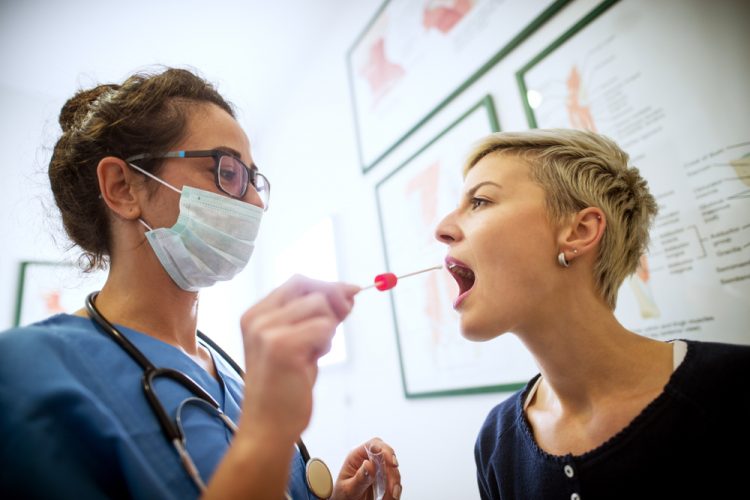
The world is currently battling COVID-19, formally known as the Coronavirus, and if you are unaware, India is on a prolonged 21-day total lockdown to curb the spread of the virus. The number of confirmed cases, however, is still on the rise and one of the major reasons behind it will have to be the lacking COVID-19 testing in the country.
Popular doctor appointment booking service Practo is now looking to change that by making it possible for patients to book COVID-19 tests online. It has partnered with Thyrocare for the launch of this new service, which went live over the weekend. The government of India and the Indian Council of Medical Research (ICMR) have both authorized this new service.
So, let’s take a quick look at Coronavirus symptoms, pre-requisites, and finally, the steps to book the Coronavirus test online:
Who Should Book Coronavirus Test?
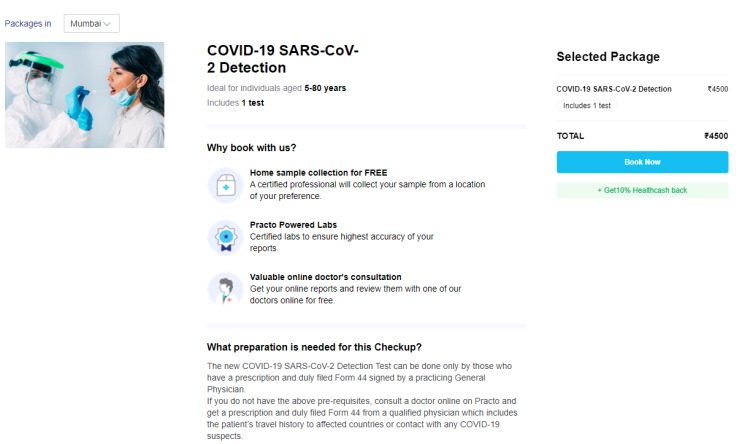
Before we talk about how you can go about the online booking, here are the COVID-19 symptoms (based on the current testing guidelines) that one would be showing:
- high fever,
- cough (sore throat),
- frequent headaches,
- shortness of breath,
- respiratory illness,
- and other breathing difficulties.
You should immediately consult a qualified physician if you or someone you know are seeing any of the aforementioned symptoms.
Pre-requisites for Coronavirus Test
If you’re looking to book a Coronavirus test for yourself or another patient, Practo has listed some pre-requisites that you need to fulfill before you complete the booking:
- valid doctor’s prescription
- Form 44 signed by a qualified physician (Test Requisition Form includes the patient’s travel history and info on whether they’ve been in contact with suspected COVID-19 patients)
- Photo ID card
- A resident of Pune or Mumbai (online booking is only available in two locations at the moment, with plans to expand it to more locations in coming days)
Steps to Book Coronavirus Test Online
1. Open the Practo app and tap the ‘Lab tests at home’ option to see the new COVID-19 test booking (a sample collection) plastered at the top. You can head to this dedicated COVID-19 SARS-CoV-2 Detection Test website set up by Practo as well.
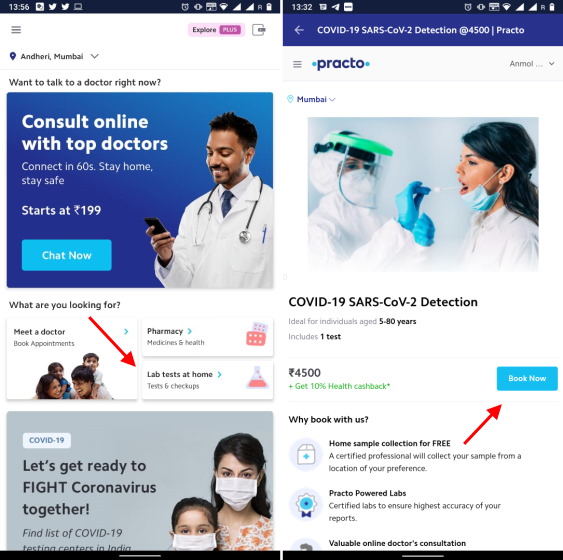
2. Tap the ‘Book Now’ button, as seen above, and fill up all of the patient’s credentials including the name, phone number, address for sample collection, and more. You can then select a suitable time slot for the test.
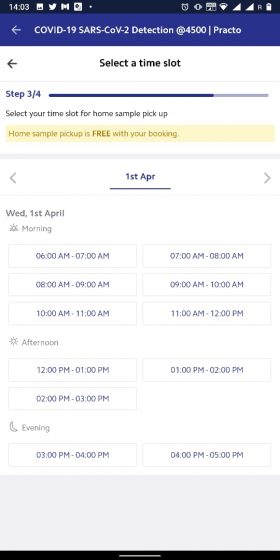
3. Once you have chosen the time slot, complete the payment (Rs. 4,500) and you’re done booking Coronavirus test for the patient.
A trained lab physician wearing a single-use biohazard suit will arrive at your doorstep at the chosen time slot to collect a throat swab sample. The results will be shared with you, as well as the government, within 48 hours, says the official Practo listing.
I cannot stress this enough but if you, or someone you know, have developed COVID-19 symptoms, then do direct them to self-quarantine, consult a qualified doctor, and book them this test right away. You should also call the Government of India helpline number 1075 or the official state helpline numbers for assistance.
Comments
Post a Comment