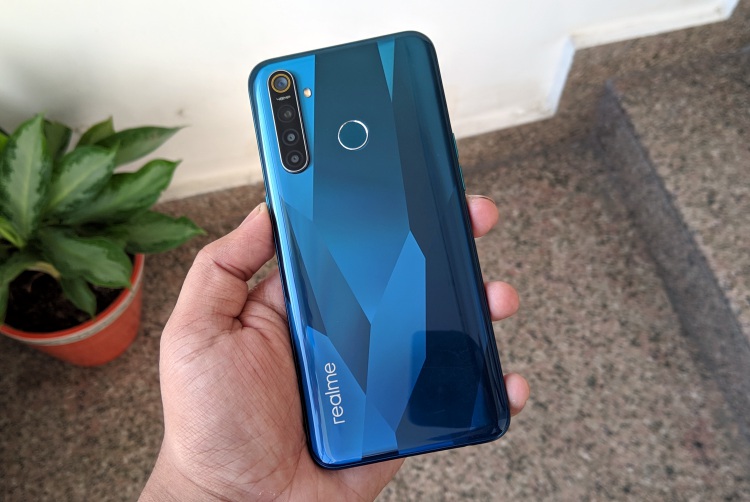
Realme X, Realme 5 Pro Get Android 10 Update With Realme UI

realme 5 pro benchmarks and gaming

Realme has started rolling out the Android 10 update to a couple of its recent releases – the Realme 5 Pro and the Realme X. According to official forum posts by the company, the incoming update also brings Realme UI to the two devices that were launched last year with ColorOS 6 based on Android 9 Pie. The updates come with version number RMX1901EX_11_C.01 for the Realme X and RMX1971_EX_11_C.01 for the Realme 5 Pro, and both weigh in around 3.5GB.

As is almost always the case with FOTA updates, the incoming software is being rolled out in a phased manner and, will be randomly pushed out to a limited number of users to start off with before a broader rollout within the next few days. If everything goes according to plan, the full rollout will be completed in the next few days, said the company.

In terms of new features, the incoming updates come with almost identical changelogs for both devices, including a Focus Mode. It also comes with an optimized user interface and improved one-handed operation. Users can also look forward to an optimized Smart Sidebar where the File Console has been replaced by a File Manager, while the OSIE Visual Effect and Notification Alerts have also been discarded for good. It also comes with Split-Screen Mode and Assistive Ball Opacity.

Some of the other new features to look forward to include an optimized Floating Window for more apps and ‘Bubbles’ that are displayed when users open an app in a floating window from the Smart Sidebar. Users can then tap the bubble to collapse or open the app. It also comes with a host of other minor tweaks related to screenshots, gestures, a new charging animation, a pause feature for screen recording and a new management feature for recent tasks.

You can check out the full changelogs for Realme X and Realme 5 Pro on the official Realme forums.

Comments

Popular posts from this blog

iPhone 12 to Have 5nm Processor, Qualcomm’s X55 5G Modem: Report

Apple is all set to launch its first 5G iPhones next year, and a new report out of Japan now claims that they will ship with Qualcomm’s X55 5G modem under-the-hood. According to multiple sources quoted by the Nikkei Asian Review , at least three of the devices the company will launch next year, will ship with 5G connectivity. “It will be the first time Apple introduces 5G iPhones … There will be three of them and the company has set an aggressive sales target” , said one of them. As per the report, the next-gen iPhone lineup will be powered by the A14 chip that will use the 5nm technology, making it significantly more power efficient than its predecessor, the A13 Bionic, found on the current-gen iPhone 11 lineup. At least two of the three new phones will also have what the report called ‘flexible’ OLED displays, although it’s not immediately clear what it meant by that term. In addition, Apple is also developing a new ‘3D-sensing rear-camera’ that is said to be able to “sense t...

Windows 10 Insider Build 19013 Adds Power Toys, New Kaomoji, and More

Microsoft has already pushed the near-final release version of the Windows 10 November 2019 Update and is now focusing its efforts on the next major 20H1 update. We’ve been keeping track of the new features being tested with Insiders for some time now and well, the latest build, number 19013, brings improvements to the Linux subsystem, emoji tray, and Your Phone features. The highlights of Insider Build 19013 is the return of Power Toys. They’re special utilities that were made popular in the Windows 95 and Windows XP era, but had been nixed to make way for new features over the past few years. Well, they’ve now made a return to Windows 10 20H1 Insider builds this month, starting with 2 features, PowerRename and FancyZones. While PowerRename makes it possible for users to rename files in bulk, the FancyZones feature lets you drag apps into defined target positions on your PC. You can take a close look at the FancyZones feature right here . Apart from this, the Windows subsystem f...

Samsung Launches Galaxy Labs; an App Suite to Help Optimize Your Phone

Though OneUI 2 is set to bring along a number of changes to Samsung’s Galaxy phones, the company has today released a new suite of device optimization apps. Dubbed Galaxy Labs, it’s offering users access to 4 apps, including a file restoration app, battery tracker and optimizer, and an app booster. All of these four apps live under Galaxy Labs, similar to the “Device Care” feature on the company’s OneUI-powered devices. Let’s talk about each service under this app, starting with File Guardian. It’s going to serve as one of the most used and important apps in the Galaxy Labs suite as it will help recover permanently deleted files from your internal, as well as external storage. Next up, we have Battery Tracker and Battery Guardian apps. The name of these 2 apps are enough to tell you what they do. While the former gives you an in-depth look at the device’s battery usage (more detailed in comparison to the in-built battery tracker), the latter only checks if existing battery optimiza...