With more than a billion active users, Facebook Messenger has become one of the most popular instant-messaging apps on the market. The app has a ton of features and lets users play online games, share images, videos, stories, GIFs, and more. However, all that comes at a price. In an attempt to offer a versatile messaging app, Facebook has turned its Messenger app into a cluttered mess. Not only that, Facebook Messenger can also impact other apps installed on your phone and can reduce battery life by a significant margin. Thankfully there are a number of excellent Facebook Messenger app alternatives that actually work. In this article, we are going to list out our favorite Facebook Messenger alternatives.
Facebook Messenger App Alternatives in 2020
All of the apps mentioned below are quite good and can work as an excellent Facebook Messenger alternative. So, read their description carefully and choose the one that fits your needs.
1. Facebook Messenger Lite
Much like Facebook Lite, the Facebook Messenger Lite is a stripped down version of the Messenger app. The app is primarily aimed at people in developing countries where the internet speeds are pretty slow. However, it can be used by anyone who is looking to get rid of unwanted features like Stories or online games from Facebook Messenger. If that is something you would like to have Messenger Lite will be the best Facebook Messenger alternative for you.
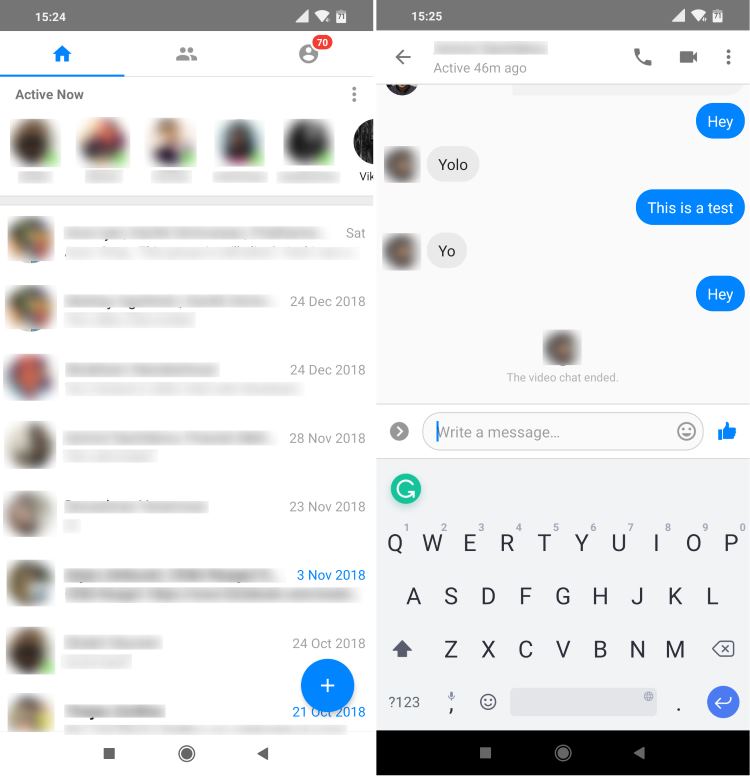
The app offers all the core features from Messenger, like sending & receiving messages, stickers, sharing photos & links, etc. The app is divided into three different tabs, each of which are dedicated to different things. The first tab is a dedicated place for chats. It’s essentially a place where you’ll see all your conversations. The next tab is where you’ll see your active friends. You can simply tap on them to start a conversation or pick up from where you left off. The last tab is a dedicated place for Facebook Messenger settings. There’s also a Facebook button which will take you directly to the main Facebook app.
Despite being a lite version of the main app, Facebook Messenger Lite also lets you make and receive both audio and videos calls as well. So, if you are interested in using a lite app without having to worry about performance issues, then Facebook Messenger Lite is a good alternative to the Messenger app.
Download Facebook Messenger Lite (Free)
2. Disa
Disa is a multi-messenger service that unites several messaging services under a single roof and the fact that each service works using a third-party open source plugin makes it the most valuable contender in the list. After installing the app, you will have to add the Facebook Messenger as a plugin and it will be downloaded from an external source.
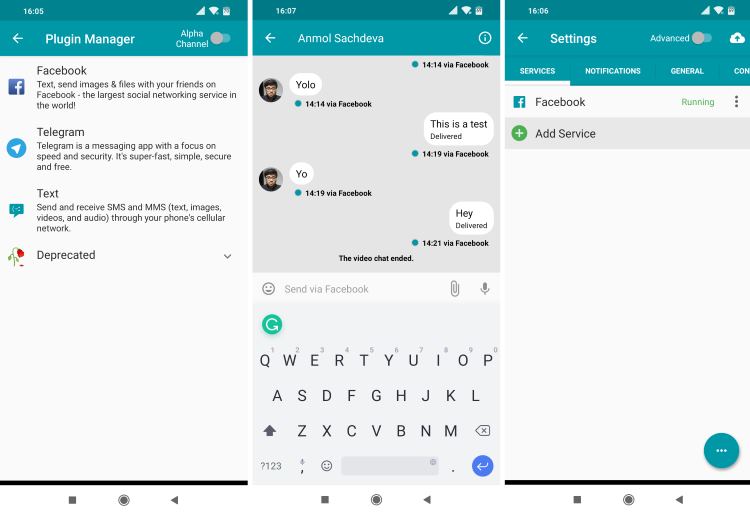
Disa will then ask you to login to Facebook using your credentials. That’s all. You will be shown the list of friends and you can start chatting with them without any issues. It is, however, worth pointing out that Disa is very limited when it comes to features.
You’ll be restricted to just sending and receiving messages. You’ll also be able to send photos, videos, etc., but other options such as sending GIFs, and stickers are missing. And unlike Facebook Messenger Lite, you won’t be able to initiate or receive calls as well. So, overall, Disa is a very basic Facebook Messenger client that gets the job done. In addition to Facebook, you can also add and manage your Telegram account and use Disa for SMS.
Download Disa (Free)
3. Swipe for Facebook
Swipe is essentially not a standalone Facebook Messenger alternative, but it comes with Facebook and Messenger packed into one simple app. You can access all your Facebook messages in a separate window with minimal interference from the News Feed. The best part about Swipe is that you don’t lose on any of your Facebook Messenger features like Chat heads, real-time notification, media sharing, and more. On top of that, you are getting top-notch experience as the app allows you to block all the Facebook ads natively.
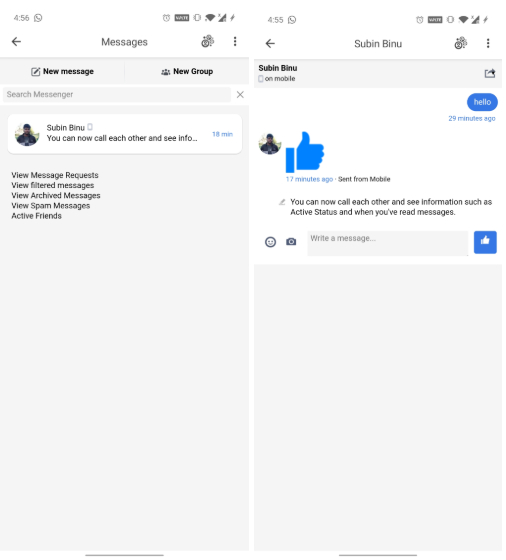
Apart from that, the app is pretty lightweight and bloat-free and does not ask for any permission whatsoever. So if you are looking for a Facebook Messenger alternative for privacy reasons, Swipe is the best app you can go for. Not to mention, the app is highly customizable and you have options for dark mode scheduling, DND, fingerprint lock and more. So considering all the points, Swipe seems one of the best Messenger alternatives in this list.
Download Swipe (Free, Offers in-app purchases)
4. Folio for Facebook & Messenger
Folio is another Facebook Messenger app alternative that is fast, reliable, privacy-friendly and does what you expect from a Messenger app. Sure, the app also brings the Facebook News Feed, but you get all your Messages in a separate window. In case you are wondering how does it work? Well, it uses the Facebook Lite wrapper to bring all your messages and information in one place.
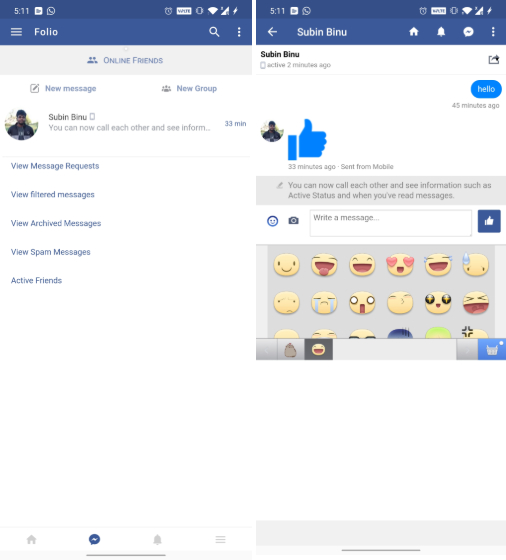
Other than that, what I like about this app is its lightweight size which translates to great battery life. Unlike Facebook Messenger, it does not hog your battery and performs reliably well. In addition, you can lock Folio with a 4-digit PIN and there is also support for night mode. All in all, if you want a Facebook Messenger alternative that does not take up much storage or drain the battery constantly then Folio would be a good app to pick.
Download Folio (Free, Offers in-app purchases)
5. Friendly
Friendly is really good alternative to the Facebook Messenger app. The app lets you use both Facebook and Messenger from one place. As soon as you install the app and log in to your Facebook account, you’ll be taken straight to your News Feed. From there, you can either choose to use it as the Facebook app or tap on the Messenger icon to use Messenger and chat with your Facebook Friends.
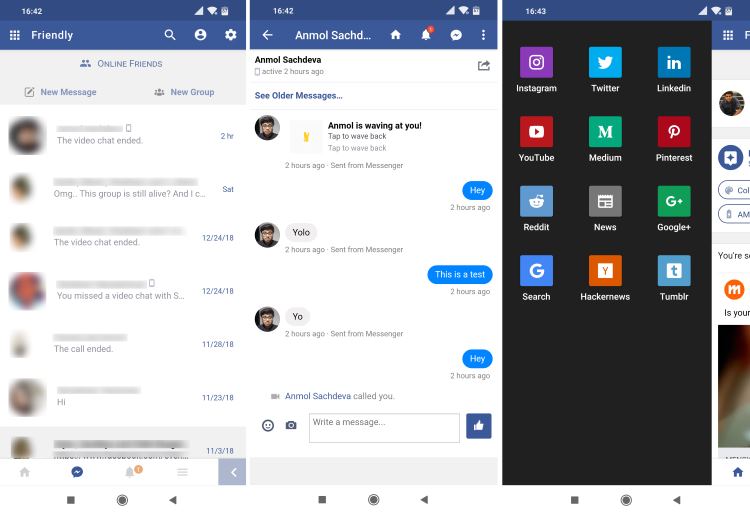
When it comes to Messenger, you can do things like send and receive messages, share images, videos, emojis, stickers, and more. The only thing missing here is again the ability to make calls. So you’ll still have to use the Messenger Lite app for that. But apart from that Friendly is a really great alternative to the Messenger app.
In addition to Facebook, you can also use Friendly to manage other platforms like Instagram, Twitter, LinkedIn, and more. It’s a really handy feature, as Friendly can essentially act as a one-stop app for all your social media needs. The app is completely free to use and it works really well.
Download Friendly (Free)
The Best Facebook Messenger App Alternatives in 2020
Well, those were some of the best Facebook Messenger alternatives that you can use to stay up to date with your Facebook Friends. Facebook Messenger Lite is our recommendation as it works well for most users, as it’s a first party apps and works flawlessly. However, the third-party apps bring some unique features (like ad-blocking) that make them worth giving a shot. Do test these apps and let us know your favorite ones in the comments below.
Comments
Post a Comment