Facebook’s F8 conference is currently underway in San Jose, California and it’s the 10th edition of the social media giant’s developer gathering. Facebook CEO Mark Zuckerberg today took the stage to defend the numerous privacy implications which surfaced in the past year and how privacy is now the company’s central focus.
During his keynote address, Zuckerberg outlined Facebook’s vision for building a privacy-focused messaging and social networking platform. He joked that Facebook may not have the best reputation on the privacy front at the moment, but that isn’t stopping them from trying to improve the social experience for users.
The resounding message that everyone, including Mark, seemed to propagate during the keynote was that ‘The future is private’ and Facebook is going to build a privacy-focused social platform that people want. Messaging apps will be the foundation of this new vision, as revealed on stage. So let’s check out the 5 key announcements from F8 2019, starting with Messenger itself.
5 Key Takeaway from Facebook’s F8 2019 Conference
1. Messenger Takes Center Stage
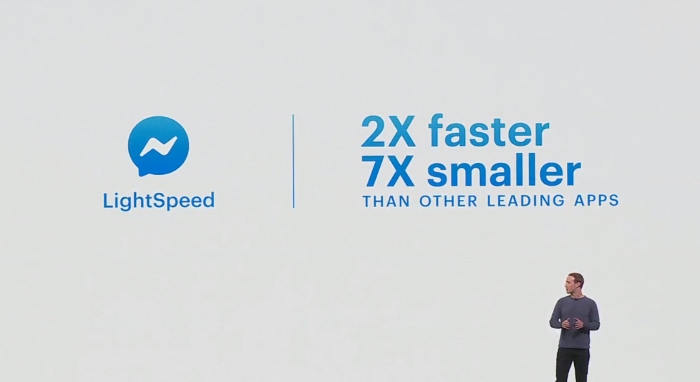
Since Messenger will be leading Facebook’s privacy-focused plan, the company seems to have gone back to the drawing board and built its messaging app to be lighter and faster than before. Codenamed LightSpeed, the new messenger app (coming later this year) is under 30MB in size and loads in about 1.2 seconds from a cold start.
Another major addition comes in the form of Messenger coming to the desktop. Yes, we today saw Facebook announce the official Messenger desktop app for both Mac & Windows users. It has been one of the most user-requested features, stated Zuckerberg during the keynote and will start rolling out in fall later this year.
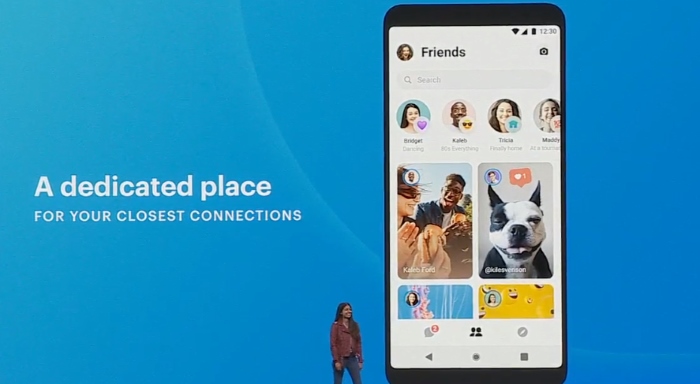
Facebook is bringing a new ‘Friends’ tab to Messenger as well and it will solely show you private updates from friends – be it from Facebook or Instagram stories. You can set an emoji status, call and message friends on Instagram and WhatsApp (which falls in line with rumors that Facebook may be looking to integrate and make its messaging app interoperable) from this dedicated space as well.
Finally, Messenger adds a Watch Together feature that allows users to extend the video calling experience. You will soon be able to discover and watch videos with friends right within the Messenger app, which is great for teens and long-distance couples.
2. Minor WhatsApp Upgrades
WhatsApp has always been big on privacy, so Facebook didn’t really have much to talk about here, except for the introduction of product catalogs in WhatsApp Business. The business will now be able to show you all the products available with them privately & operate without even a website in place.
Zuckerberg also briefly talked about WhatsApp Payments, which is based on India’s UPI payments system, is being tested with 1 million users in India. Facebook plans to launch the payments feature to newer locations in the coming months.
3. Facebook Redesign
Facebook is placing more importance on groups, putting them first, and Zuckerberg on stage said that the platform is getting a major facelift to reflect the same.
The social media giant now aims to make “communities as central as friends” and your ‘Groups’ tab the top, both on the newly redesigned and all-white app and website, will reinforce this idea. The redesign has been termed as FB5 and it’s ‘simpler, faster, more immersive’ than the company’s previous efforts.
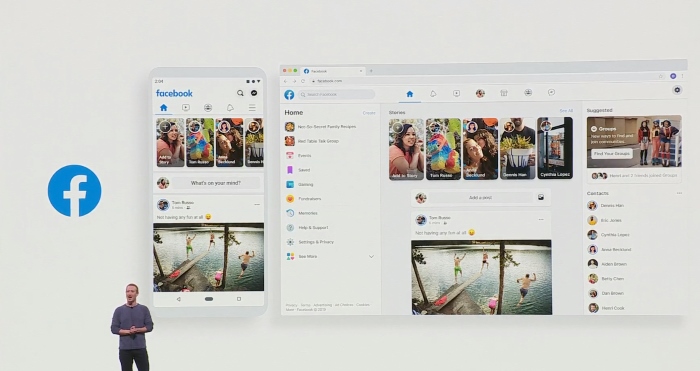
Zuckerberg was greeted with catcalls and joyful remarks when he revealed that the new redesigned app will be available to US and Canada users right away, with a global rollout scheduled for late this half.
“This is The biggest change to the Facebook app and website in last 5 years,” said Zuckerberg.
With the new Groups tab, Facebook is making it simpler for users to discover new groups and communities based on their interests and they’ll see content from relevant groups in other sections of the platform such as marketplace and gaming tabs. Facebook also wants to make it possible for users to ‘meet new friends’ from shared communities like a school, workplace or city. Meet New Friends is currently under testing in selected locations and is going to rollout later this year.
4. Instagram Improvements
Instagram’s camera is getting a much-needed upgrade, where you will no longer need to start with a photo or video while posting stories. You’ll soon see a new ‘Create’ tab inside the camera interface and you can choose from the question, polling, text, or other sticker options.
Donation stickers are also being introduced today to make it possible to hold fundraisers directly in Stories.
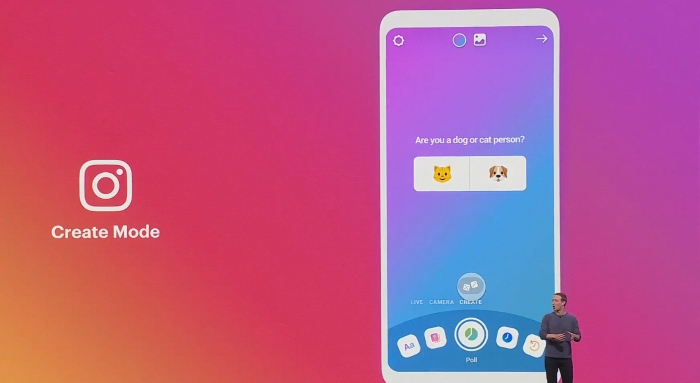
Instagram Shopping has been on the rise and the F8 2019 conference reinforces the same with the introduction of a dedicated Shop section in the Explore tab and the ability to shop directly from your favorite creator’s page. Instead of screengrabbing goods and searching them online, you’ll soon be able to tap a creator’s picture to see the product and checkout from within the app.
5. Oculus Quest
Facebook has today announced its much-awaited standalone ‘Oculus Quest’ VR headset at its F8 2019 developer conference. It’s the company’s first all-in-one VR gaming system, as they’re calling it, and you can now truly move about in the virtual space after putting on a Quest headset.
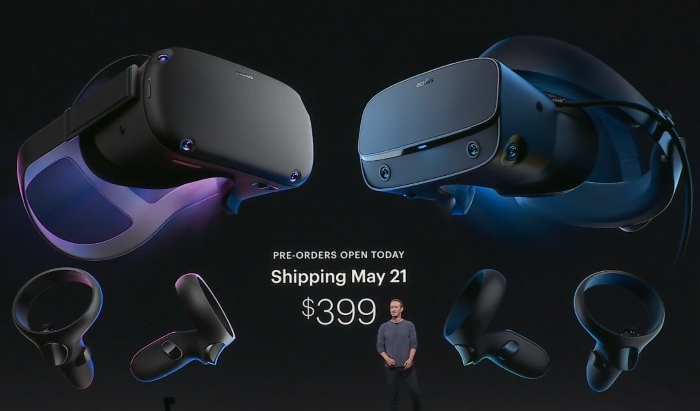
We also saw the company unveil the Oculus Rift S, which is an upgrade to their existing tethered VR headset that needs to be connected to a powerful gaming rig to operate. The Oculus Rift S brings along with it a higher resolution display, improved optics, and a mixed reality experience via the camera on the front and a feature called Passthrough+.
Both the Oculus Quest and Oculus Rift S will retail at the same price, i.e $399 and are now up for pre-order. These new headsets will start shipping May 21.
So, that’s pretty much all of the major announcements coming from Facebook’s F8 2019 keynote. What feature or hardware upgrade are you most excited for? Is it Facebook app and desktop redesign or Messenger’s new Friends tab? Let us know your thoughts in the comments down below.
Comments
Post a Comment